
WordPress security and maintenance basics agencies actually do
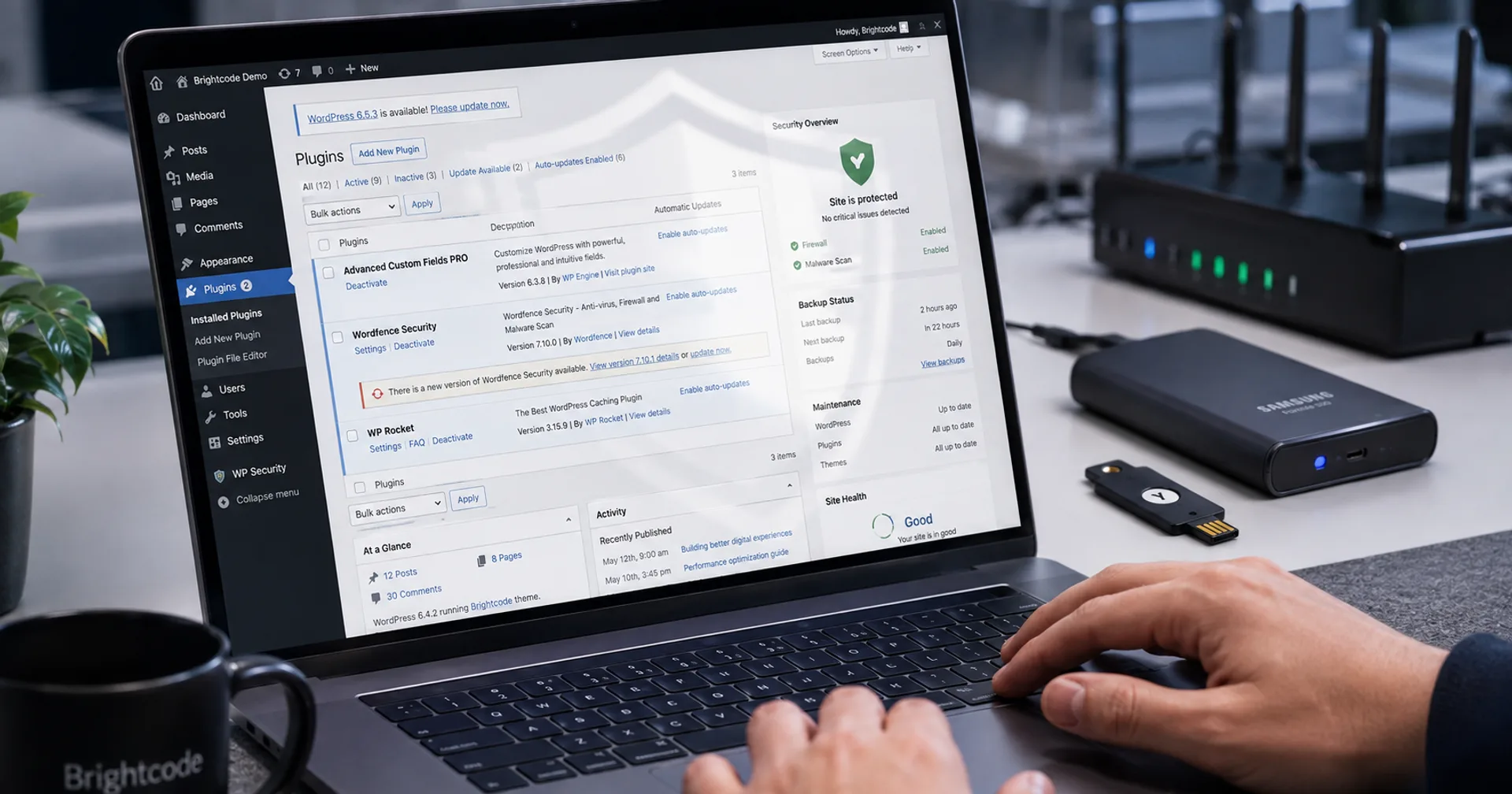
Most WordPress incidents are boring: outdated plugins, shared admin passwords, untested backups, and hosting that cannot isolate a compromised site. Fancy scanners do not replace a weekly ops rhythm.
The direct answer
Treat WordPress security and maintenance as a scheduled checklist: core, plugin and theme updates with staging when risk is high; offsite backups you have restored at least once; least-privilege users with MFA; hardened login; and uptime plus malware monitoring with a named owner.
Security is not a one-time hardening plugin. It is patch latency, access hygiene and recovery drills.
If your business depends on the site for leads, website maintenance and managed hosting should be budgeted like insurance with an SLA, not like optional polish.
Why WordPress sites get compromised
WordPress powers a huge share of the web, so attackers automate plugin and theme exploits. Neglected update queues are the main door, not “WordPress is insecure by nature.”
Shared credentials, abandoned admin accounts from old freelancers, and nulled themes multiply risk. Hosting that packs many sites on one noisy environment makes cleanup harder when something breaks.
Maintenance also protects SEO and conversion: abandoned plugins slow pages, break forms and create Core Web Vitals regressions that quietly hurt leads.
Agency baseline WordPress maintenance checklist
- Inventory plugins; remove unused ones; prefer maintained vendors.
- Update on a cadence; emergency-patch known critical CVEs.
- Use staging for high-risk updates on WooCommerce or membership sites.
- Daily or frequent backups stored off the same server; test restore quarterly.
- Unique admin accounts; MFA; no shared “agency” logins left after projects.
- Limit XML-RPC abuse where appropriate; watch for spam users.
- TLS, sensible file permissions, and disable file editing in production when process allows.
- Monitor uptime and defacement; document who gets the incident call.
Security vs performance trade-offs
Practice | Security value | Watch-out |
|---|---|---|
Multiple overlapping security plugins | Redundant scans | Conflicts, slower TTFB, false confidence |
Never updating “to avoid breaks” | None | Guarantees eventual exploit or failure |
Staging + staged deploys | Safer patches | Needs hosting that supports it |
Least privilege + MFA | Stops account abuse | Requires process, not only a plugin |
Offsite tested backups | Recovery path | Untested backups are hope, not a plan |
What WordPress maintenance is not
Buying five security plugins that conflict and slow the site. One coherent stack beats overlapping scanners.
Assuming a redesign replaced the need for care. New themes still need updates and backups.
Ignoring hosting quality. Compare options in managed hosting vs shared hosting.
Treating WooCommerce like a brochure site. Commerce stacks need tighter staging and backup discipline.
A simple weekly and monthly cadence
Weekly: review available updates, scan for abandoned plugins, confirm backups completed, and check uptime history for anomalies.
Monthly: test a restore on staging, rotate unused admin accounts, review user roles, and audit tag managers or chat widgets added without review.
Quarterly: revisit hosting fit, PHP version support and whether WooCommerce or membership plugins need a deeper staging dry-run before peak seasons.
What to do next
Confirm last successful backup restore date and who holds admin MFA today. If either answer is fuzzy, fix that before new features.
If you are changing hosts or platforms, use the website migration checklist.
Contact if you want Brightcode on retainer for WordPress care, or a one-time hardening pass before you keep the site long term.
Continue reading
Recent articles
Build·12 September 2026·3 min
What website development actually costs in India
Realistic website development cost ranges in India for 2026 — brochure, WordPress, Next.js and service sites, plus what moves the price up or down.
Build·11 September 2026·4 min
What to look for in a website development company in Delhi NCR
A practical guide to choosing a website development company in Delhi NCR: scope, stack, portfolio, process and red flags before you sign.
Build·11 September 2026·9 min
Next.js, WordPress, Shopify, and WooCommerce: How to Choose the Right Platform for Your Next Build
Compare Next.js, WordPress, Shopify, and WooCommerce for rebuilds and new sites, with use cases, tradeoffs, SEO, performance, and support.
Need WordPress security and maintenance with a real checklist?
Share your site URL and hosting. We will outline update, backup and monitoring scope.